
Guides / Financial tools
How to Use the Built-In Financial Tools
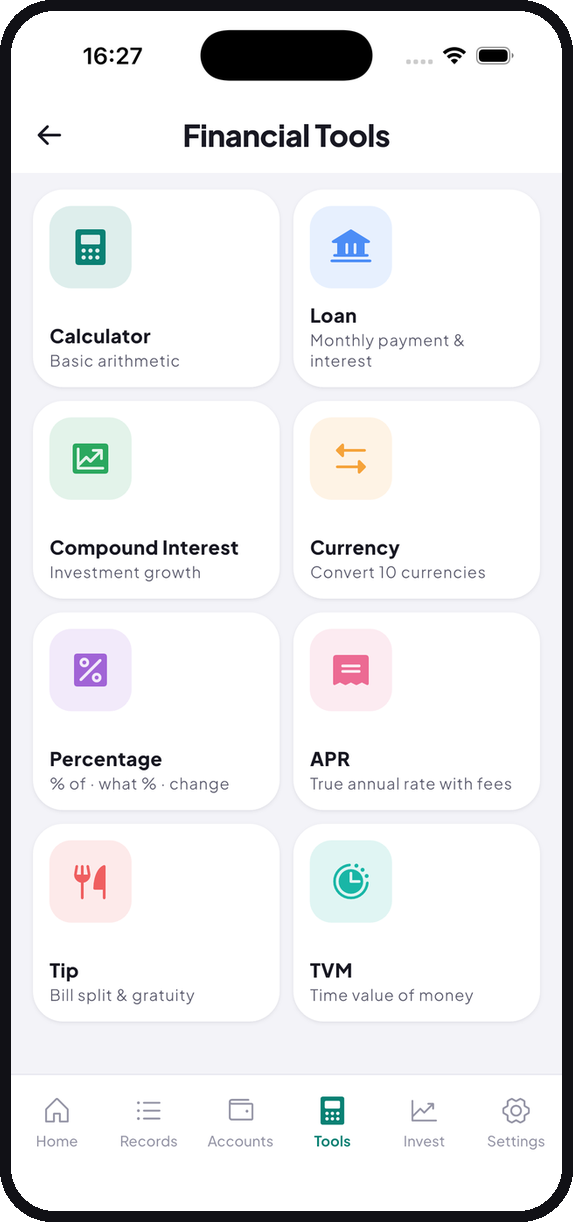
Eight calculators live inside Tally: loan, compound interest, currency, percentage, APR, tip, time value of money, and a plain calculator. Here is what each one is actually for.
Most of the questions that make people open a spreadsheet are small. What would the monthly payment be. Is that fee actually 3% or closer to 9% once you annualise it. How much is this in baht. What does each person owe for dinner.
Tally has eight calculators for exactly these, sitting under the Tools tab so you do not need a second app or a browser tab.
Loan
Enter the amount, the rate, and the term, and you get the monthly payment and the total interest.
The useful habit is running it before you commit rather than after. The monthly payment is the number people negotiate on, but the total interest is the number that decides whether the deal was good. A slightly longer term almost always looks better monthly and costs meaningfully more overall.
Compound Interest
The mirror image of the loan calculator: what a sum grows into over time at a given rate.
Worth running once a year on your actual savings rate. Compounding is famously hard to intuit, and seeing the curve for your own numbers over ten or twenty years is more persuasive than any general advice about saving.
APR
This is the one most people skip and probably should not.
A stated interest rate and the true annual cost are different numbers once fees are folded in. APR does that folding for you. Anything advertised as “only 3% per month” becomes considerably less attractive expressed annually, and this is where you find out by how much.
Currency
Converts between ten currencies. Handy when you are travelling, buying from an overseas site, or invoicing a client abroad and want a sanity check before you agree a number.
Pairs with Tally’s multi-currency accounts, which are covered in the accounts guide.
Percentage
Three things in one: what is X% of Y, what percentage is X of Y, and the percentage change between two numbers.
The third is the one that earns its place. Rent going from 8,900 to 9,600 is easier to react to when you can see it is an 7.9% rise rather than “about seven hundred baht.”
Tip
Splits a bill and works out gratuity. Less relevant where tipping is not customary, but the bill-splitting half is useful anywhere.
If you are the one who paid for the table, log the full amount as an expense and each repayment as income in the same category. The cash and QR guide explains why that stays accurate when logging just your share does not.
TVM
Time value of money: present value, future value, rate, and periods, solving for whichever one you leave blank.
This is the most technical of the eight and the one most people will never open. If you have ever needed to compare a lump sum now against payments later, this is the tool that answers it properly.
Calculator
A plain arithmetic calculator, for when you just need one.
Worth knowing that the transaction keypad already does arithmetic, so you can
type 480 ÷ 3 directly when saving an expense without coming here at all.
Nothing is stored
The calculators are stateless. They do not write to your transaction history and nothing you type into them is saved anywhere. Run whatever hypotheticals you like; your records are untouched.
Tally is free on iOS and Android. No account, no monthly fee.